Quran & learning
Make a Quran Khatam Plan Around Your Real Week
Plan a Quran khatam around your real week: a worked page example, uneven-day checks, honest progress marks and reminders on iPhone or Android.
Editorial writing date:
A khatam plan starts with two facts: where you are now, and how much reading your week can really hold. Find your current position, count what remains, and divide it by the days you have. Then check that daily portion against your busiest normal day, not your quietest one.
Keep the finish date tied to the reading itself. Al-Muzzammil 73:4 calls for measured recitation, and Sad 38:29 speaks of reflecting on the Quran's verses. A good target leaves room for both.
Key Takeaways
- Start from a confirmed surah and ayah, and say which page layout your page numbers use.
- Work out the daily portion from the pages left and the days you have.
- Test that portion on your busiest ordinary day before you accept it.
- Mark only what you actually read, and decide early how you will adjust.
Find where the plan begins
Look up the last passage you actually finished. Write down where the next session starts as a surah and ayah. "Somewhere in the middle" is not a starting point.
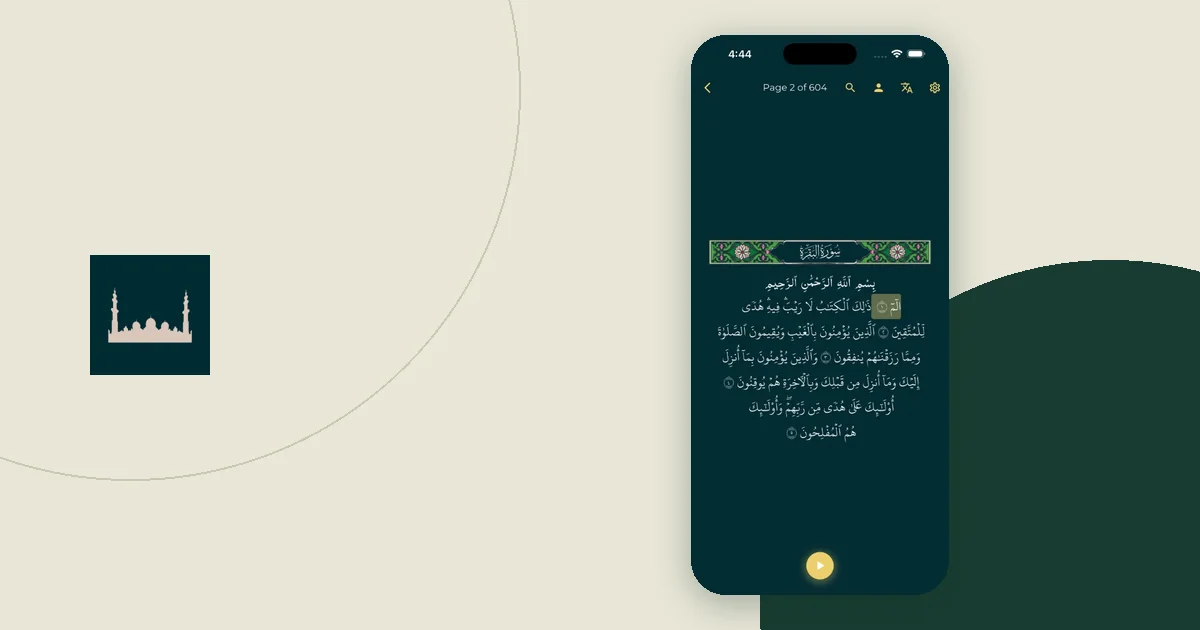
Page numbers depend on the mushaf layout. In Everyday Muslim, the reader and planner number pages 1 to 604, and the khatam planner guide notes that page targets use the app's pagination. A printed copy may break pages differently, so the surah and ayah reference is the one to trust when you switch.
Decide what this plan tracks. Completing a reading, studying a translation and memorizing are different goals. Keep a separate record for each so a finished audio track never changes your reading record. Hifz has its own Quran memorization tools.
Work out the pace with real numbers
Do the arithmetic before you commit to a date. Count the pages left, then divide by the days you have.
Worked example (an illustration, not a recommended pace). A reader is at the top of page 305 in the app's 604-page layout. Pages 305 to 604 remain, which is 604 − 305 + 1 = 300 pages. The reader wants to finish in 50 days. That is 300 ÷ 50 = 6 pages a day.
Now test the same 300 pages against an uneven week. Say the reader can manage 4 pages on each of five workdays and 10 pages on each of two weekend days. That is (5 × 4) + (2 × 10) = 40 pages a week. At that rate, 300 pages take 300 ÷ 40 = 7.5 weeks, or about 53 days, so the reader misses the 50-day target by about three days. Fifty days hold about 14 weekend days and 36 workdays. The weekend days cover 14 × 10 = 140 pages, which leaves 160 pages for the workdays: 160 ÷ 36 ≈ 4.5 pages each. So the 50-day date needs roughly half a page more on each workday, not 6 pages. At 6 pages on every workday the week would hold 50 pages, and the reader would finish in about 300 ÷ 50 = 6 weeks, or 42 days.
These numbers describe one example. They say nothing about a required pace. The useful question is the same for you: does the daily portion fit your hardest normal day with the care your reading needs?
Choose a planning method in the app
The planner in Everyday Muslim offers three ways to set the finish: By a date, In a number of days, or At my pace. It also has quick starts, such as one month or one year. You can show portions in juz, pages, or surah and ayah, and start at Al-Fatihah or at your current position. The plan always ends at An-Nas.
Before you tap Create Plan, read the preview. It shows the amount each day and the finish date. If the preview says 10 pages a day and your workdays hold 4, change the method or the date now. The iPhone and Android apps share the same planner screens.
The app sizes each day's portion by page length rather than by ayah count, so days hold roughly the same amount of text. It does not plan a lighter Tuesday by itself. If one day needs less, open that day and use Adjust this day. The days after it are re-spread so you still finish on your date. The last day holds whatever is left, so change the target date if that day grows too large.
Plan for uneven days honestly
Your week may hold different amounts of time. Plan around that instead of treating every short day as a debt.
| Kind of day | Question to ask |
|---|---|
| Busy workday | What portion fits without rushing? |
| Day with a class | Does the lesson already use your study time? |
| Travel day | Which text and audio will you have offline? |
| Quieter day | Is there room to read more with the same care? |
| Weekly review | Does the remaining plan still match next week? |
For a travel day, check downloads before you leave. The offline trip checklist covers what to confirm.
Set reminders on iPhone and Android
The planner has an optional Daily reminder with that day's portion. It arrives as a phone notification, so your system settings decide whether you see it.
- iPhone: a scheduled Focus can silence app alerts. Check the Focus you use at reading time in Settings > Focus, or set one up with Add Schedule (Apple guide).
- Android: Do Not Disturb lets you choose which apps can still notify you. Review the app list under its notification filters (Android guide).
For a weekly plan check, a calendar event also works. Google Calendar supports repeating events on Android, iPhone and the web. One weekly review is often more useful than many daily events you have not tested.
Make progress marks match real reading
Mark only what you actually read. When you tap Mark complete on a later day, the app warns that marking it also completes the unread days before it. Read that warning before you confirm.
If you read from a printed mushaf, use Update my position instead. The app says this corrects your plan and does not count as today's reading. Your khatam plan turns on Track Reading & Listening, so playing audio is logged as listening, which is separate from marking ayahs as read.
If moving between places is what confuses you, the Quran bookmark workflow helps you keep one clear resume point.
Pick an adjustment rule before you need it
Decide now what you will do after a missed day. The planner offers three choices: Spread over remaining days (keep the date), Extend my end date (keep the daily portion), or Catch up today. Each shows its effect before you apply it: a new daily amount, or a new finish date for Extend my end date.
The restart guide works through those choices with numbers. If the plan keeps feeling too heavy, go back to a small daily Quran reading habit and rebuild from the pace you actually keep.