Duas & remembrance
Make Space for Morning and Evening Remembrance
Start morning and evening remembrance with one sourced dhikr, keep its reference beside it, and set an iPhone or Android reminder you can act on.
Editorial writing date:
Start with one remembrance you have checked against its source. Save it where you can open it in two taps, and set one reminder at a moment when you can actually stop. Add more only when that small routine feels steady.
The Quran calls believers to remember Allah often and to glorify Him morning and evening in Al-Ahzab 33:41 and 33:42. Your phone can help you find the words and notice the time. It cannot decide which words to say, when they are due or what they earn.
Key Takeaways
- Begin with one remembrance whose wording and reference you have opened yourself, such as Sahih Muslim 2692.
- Save the source with the words, and keep your own notes in a separate field.
- A reminder time is your planning choice, not a religious timing.
- On iPhone and Android, check notification and Focus or Do Not Disturb settings before relying on a reminder.
- When a reminder fails, fix the practical cause and leave the record out of it.
Start with one sourced remembrance
Pick one remembrance (dhikr) you can trace to a named collection and number. Two examples you can open today:
- Sahih Muslim 2692. On Sunnah.com, Abu Huraira reports that the Prophet ﷺ spoke of saying سُبْحَانَ اللَّهِ وَبِحَمْدِهِ in the morning and in the evening, one hundred times. The Sunnah.com English renders the words as "Exalted is Allah (He is free from imperfection)and all praise is due to Him" (spacing as printed there). Read the full narration there for what it says about the practice.
- Sahih al-Bukhari 6306. This narration records the supplication commonly called Sayyid al-Istighfar, with its wording and its day and night context. It is longer, so it suits a later stage once you can read it comfortably.
Copy the Arabic from the source page, not from a shared image. Write the reference next to it. If you are unsure about a narration, how to apply it or where morning and evening begin and end, ask a qualified teacher. A phone calendar cannot settle those questions.
Find the words in the app
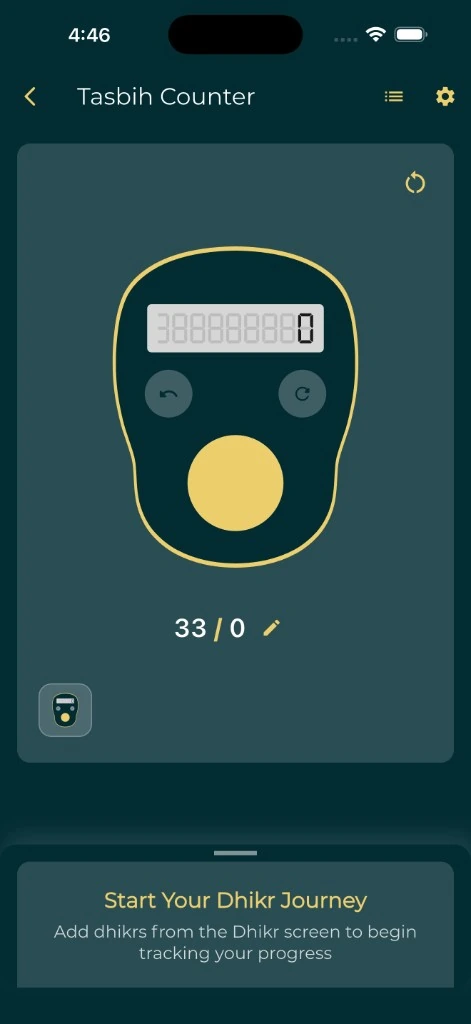
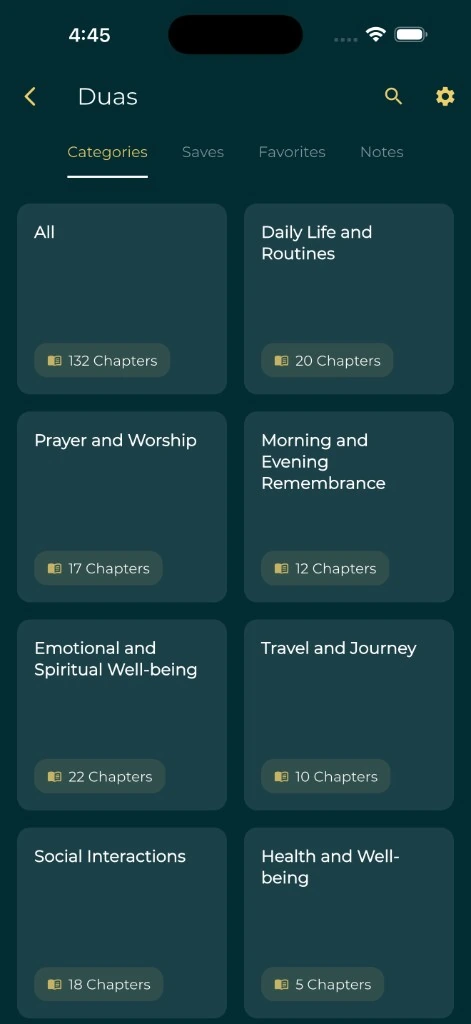
Everyday Muslim on iPhone and Android has two places to look. The Duas collection includes a Morning and Evening Remembrance category drawn from Hisnul Muslim. The dhikr collection that sits with the tasbih counter has separate Morning Adhkar and Evening Adhkar lists, and its Sahih Muslim 2692 entry shows that reference.
In either place, mark the entry as a favorite so you do not scroll through the whole collection each time. In the Duas collection, Dua Settings lets you change the Arabic, translation and transliteration sizes separately, and you can group entries in a folder. Tasbih Settings covers counting, sound and reminders but has no text-size option, so if the dhikr list is hard to read, open the same remembrance from the Duas collection.
Keep one record per entry with these fields:
| Field | What to keep |
|---|---|
| Title | A short name you recognize, such as "Subhan Allah wa bihamdihi" |
| Source | Sahih Muslim 2692, with a link |
| Text | Arabic copied from the source page |
| Meaning | The translation, and whose translation it is |
| Study note | Your own question, marked as yours |
The personal dua collection workflow walks through building and checking these records.
Illustration: a first week with one dhikr
The example below is an illustration of planning, not a prescribed timetable. It uses the Sahih Muslim 2692 wording and count only because the source states them.
Imagine a reader who works early shifts and gets home at different times. They choose two pauses they already have: sitting down after the morning prayer, and the few minutes after they put their bag down in the evening.
| Step | Morning | Evening |
|---|---|---|
| Where the words are | Favorited entry in the dhikr collection | The same entry |
| How they count | The tasbih counter with its Alert Value set to 100 | The same Alert Value |
| Reminder | Tasbih Reminder on workdays at their usual sitting-down time | A plain phone alarm labeled "Open remembrance" |
| If it is missed | They note why the time did not work | They move the reminder, not the practice |
On day three the evening reminder fires while they are still on a bus. They do not invent a catch-up rule or a penalty. They move the reminder twenty minutes later and keep the morning one as it was. After a week, they add Sayyid al-Istighfar only if the first entry already feels steady.
Set a reminder you can act on
A reminder only helps if you see it at a moment when you can respond. In Everyday Muslim, Tasbih Settings includes reminder days and a time, plus sound and vibration. Label any phone alarm plainly, such as "Open remembrance," rather than claiming the practice must happen at that exact minute.
Then check the phone itself.
On iPhone (Apple's notification guide):
- Open Settings, tap Notifications, then tap Everyday Muslim.
- Make sure Allow Notifications is on.
- Under Notification Delivery, choose Immediate Delivery if you use Scheduled Summary; a summary can hold the reminder back until a later time.
- If you use a Focus, open Settings, tap Focus, choose it, then tap Apps to decide whether the app can reach you (Apple's Focus guide).
On Android (Google's notification guide):
- Open Settings, tap Notifications, then App notifications.
- Find Everyday Muslim and check that its notifications are on.
- If you use Do Not Disturb, check whether the app may override it (Google's Do Not Disturb guide).
Google notes that settings can vary by phone, so your menu names may differ.
The adhan notification help page covers common delivery problems on both platforms. For a short test routine before relying on a new reminder, use the notification QA checklist.
Keep attention ahead of the record
Reading a completion screen is different from attending to the words. In Dr. Mustafa Khattab's translation on Quran.com, Al-A'raf 7:205 says to remember your Lord "inwardly with humility and reverence," both morning and evening. Let that shape how you use the tools.
A counter helps you keep a number that a source states. It does not check that you said the words or measure how present you were. The digital tasbih guide explains how to keep a counter's goal separate from a sourced instruction.
You can keep a brief learning note if it helps: a word you want to understand, or a pronunciation question for your teacher. There is no need to log how each session felt.
When a reminder fails, fix one thing
After a few days, ask what made it hard to begin. Then change only that part:
- The reminder came at a bad moment. Move it to a pause you already have.
- You could not find the entry. Mark it as a favorite, or put a Duas entry in a short folder.
- The text was hard to read. Open the entry in the Duas collection and raise the Arabic size in Dua Settings.
- The phone pulled you elsewhere. Open the entry directly and leave other apps closed. The low-distraction worship setup has more ideas.
- The reminder never arrived. Recheck notifications, Scheduled Summary, Focus or Do Not Disturb.
Keep source corrections apart from layout changes. A new font does not change the wording. If you find a mistake in a saved entry, correct it from the source page and keep the reference with it.