Prayer & daily life
Why Two Prayer Apps Can Show Different Times
Find out why prayer apps disagree: place, date, time zone, Fajr and Isha angles, Asr shadow rules and adjustments, with a worked example and a check order.
Editorial writing date:
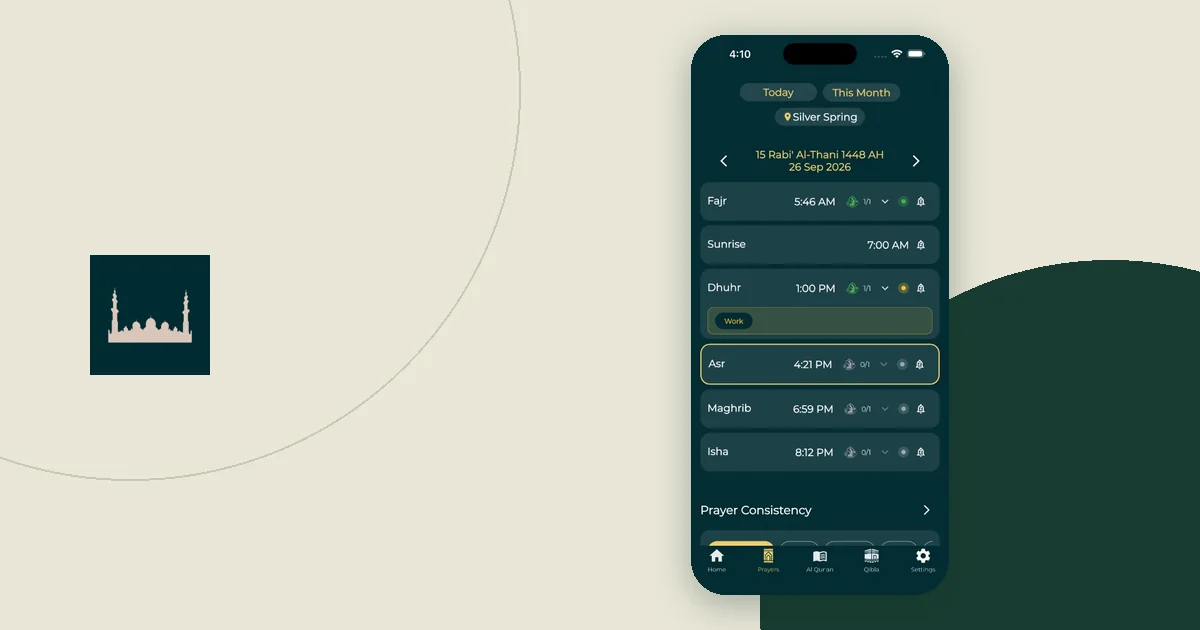
Two prayer apps can show different times because they use different inputs or different calculation conventions. Before you decide that one is broken, compare the place, date, time zone, calculation method and Asr setting. Then ask which setting explains the gap, and which timetable you intend to follow.
The Adhan library documentation treats coordinates, the date, calculation parameters and local-time display as separate inputs. That gives you a practical order for checking a disagreement: shared inputs first, prayer-specific settings second.
Key Takeaways
- Compare the same place, date and kind of entry: a start time is not a congregation time.
- Calculation methods differ mainly in their Fajr and Isha angles, so those two rows usually disagree most.
- The Asr setting is separate. The two common rules use a shadow factor of 1 or 2.
- In the worked example below, one city on one date gives Fajr times 17 minutes apart under two well-known methods.
First make the comparison fair
Open the date and location details in both apps. A city label alone is not enough. One app might still be using a trip location from last week, while the other uses a home city you chose by hand. Write down what each one actually shows.
Then compare like with like. A mosque's congregation time, often called iqamah or jama'ah, is a separate appointment from the start of the prayer time. For example, East London Mosque's timetable lists beginning times and jama'ah times in separate columns. If a timetable's headings are unclear, ask the mosque what they mean before you change the app.
For a useful comparison, record:
- The selected place and date.
- The displayed time zone, where the app shows it.
- The calculation method and the Asr setting.
- Any manual adjustments to single prayers.
- Whether each value is a start time, a congregation time or a reminder.
The online prayer-time tool is another place to inspect these inputs side by side. Treat it as a way to see what each setting does, not as a deciding vote between two apps.
What a calculation method actually sets
A calculation method bundles the choices needed to turn the Sun's position into a timetable. The biggest choices are the Fajr and Isha angles.
A twilight angle is how far the Sun sits below the horizon when a method says Fajr begins or Isha begins. At 18°, the sky is darker than at 15°. So a method with a larger Fajr angle gives an earlier Fajr, and a larger Isha angle gives a later Isha. The Royal Observatory Greenwich describes 18° below the horizon as the point where it is truly dark.
These are the presets in Adhan's calculation methods guide that people often meet:
| Method | Fajr angle | Isha angle or rule |
|---|---|---|
| Muslim World League | 18° | 17° |
| Islamic Society of North America (ISNA) | 15° | 15° |
| Egyptian General Authority of Survey | 19.5° | 17.5° |
| Umm al-Qura (Makkah) | 18.5° | 90 minutes after Maghrib |
| University of Islamic Sciences, Karachi | 18° | 18° |
| Moonsighting Committee | 18° | 18°, with seasonal adjustments |
The PrayTimes calculation reference lists the same angles for the first five, and adds that Umm al-Qura uses 120 minutes after Maghrib for Isha during Ramadan. Some presets also include small built-in shifts. In Adhan 4.4.6, for example, the Muslim World League and ISNA presets add one minute to Dhuhr, and the Moonsighting Committee preset adds minutes to Dhuhr and Maghrib.
Asr is a separate setting in many apps. According to PrayTimes, the standard rule starts Asr when an object's shadow equals its height plus its shadow at noon. The Hanafi rule uses twice the height plus the noon shadow. That is the "shadow factor" of 1 or 2. The Asr settings guide shows how much that one choice moves the afternoon time.
Worked example: one city, one date, three methods
Illustration only, not a timetable to follow. We used this site's prayer-time engine (Adhan 4.4.6) for Toronto, Canada (43.6532° N, 79.3832° W, America/Toronto zone) on 15 November 2026. The Asr setting stayed on the standard rule (shadow factor 1) throughout, and no manual adjustments were added.
| Prayer | Muslim World League | ISNA | Umm al-Qura |
|---|---|---|---|
| Fajr | 5:32 AM | 5:49 AM | 5:29 AM |
| Sunrise | 7:12 AM | 7:12 AM | 7:12 AM |
| Dhuhr | 12:03 PM | 12:03 PM | 12:02 PM |
| Asr | 2:30 PM | 2:30 PM | 2:30 PM |
| Maghrib | 4:52 PM | 4:52 PM | 4:52 PM |
| Isha | 6:26 PM | 6:15 PM | 6:22 PM |
The pattern is easy to read. Sunrise, Asr and Maghrib match, because they do not depend on the twilight angles. Fajr is 17 minutes later under ISNA, whose 15° angle is shallower than 18°. Isha is 11 minutes earlier under ISNA for the same reason. Umm al-Qura's Isha is exactly 90 minutes after its 4:52 PM Maghrib. The one-minute Dhuhr gap comes from the built-in Dhuhr minute in the other two presets.
None of these columns is "the broken one". Each follows its own documented convention. The real question is which convention your local community or trusted timetable uses.
Read the pattern before changing a setting
The shape of a difference suggests what to inspect first. It does not prove the cause.
| What you notice | A useful first check |
|---|---|
| Every prayer is shifted by about the same amount | Date, place and time zone |
| Fajr and Isha differ most | Calculation method and its twilight angles |
| Only Asr differs | The Asr setting (shadow factor 1 or 2) |
| A reminder arrives before its displayed prayer | Reminder lead time or notification settings |
| A gap of a minute or two remains | Rounding, built-in shifts and manual adjustments |
These are troubleshooting clues, not religious judgments. A gap can have more than one cause, so confirm the setting rather than guessing from the size of the gap.
If the mismatch started after the clocks changed, use the clock-change check first. Fix a time-zone problem before you compare twilight settings.
Check the date and the season
A screenshot saved last month is not a current reference. Even with the same place and method, a schedule belongs to one date.
Season matters too. The US Naval Observatory's rise, set and twilight definitions note that rise and set calculations become less accurate at high latitudes. Far from the equator in summer, the Sun may not sink far enough below the horizon for a normal angle-based Fajr or Isha. Adhan then applies a high-latitude rule, and two apps may use different rules.
If you live far north or south, ask how your timetable handles that season instead of adding minutes to Fajr or Isha. The long summer days guide compares those rules for a real city.
Change one input, then compare again
Picture two friends comparing apps after a mosque visit. One sees a different Asr time and assumes the location is wrong. She changes the city, the method and the Asr setting all at once. The times move, but now nobody knows which change mattered.
A clearer approach keeps a short before-and-after note:
- Match the place and date.
- Confirm the time zone.
- Compare the calculation method.
- Check the Asr setting on its own.
- Review manual adjustments and reminder lead times.
After each change, look at the same date again. Keep the original values so a failed experiment is easy to undo. Avoid picking whichever method matches one result today. Matching one row on one day is a weak test for a schedule you will use all year.
Make an unresolved difference easy to explain
If the apps still disagree, contact the app's support team with a small example they can reproduce. Include the app version, device type, city or approximate coordinates, date, settings and the two displayed times. You usually do not need to share your home address, your prayer history or a screenshot full of private notifications.
Ask a precise question: "These settings give this result for this date. Which calculation or adjustment explains it?" For a mosque timetable, ask which Fajr and Isha convention it uses and whether its columns show start times or congregation times.
If you are choosing between apps rather than fixing one, the guide to choosing a prayer times app lists what else to compare. Once the reason is clear, save it with your settings. The same question will be easier to answer after an app update or a journey.