
The Quran · A place in your day
Read a little. Return often.
Read and listen to the Quran without advertising interruptions. Everyday Muslim brings recitation, translations, bookmarks and memorization tools together with your daily prayer routine.
- Read & listen
- Translations & bookmarks
- Download audio for offline use
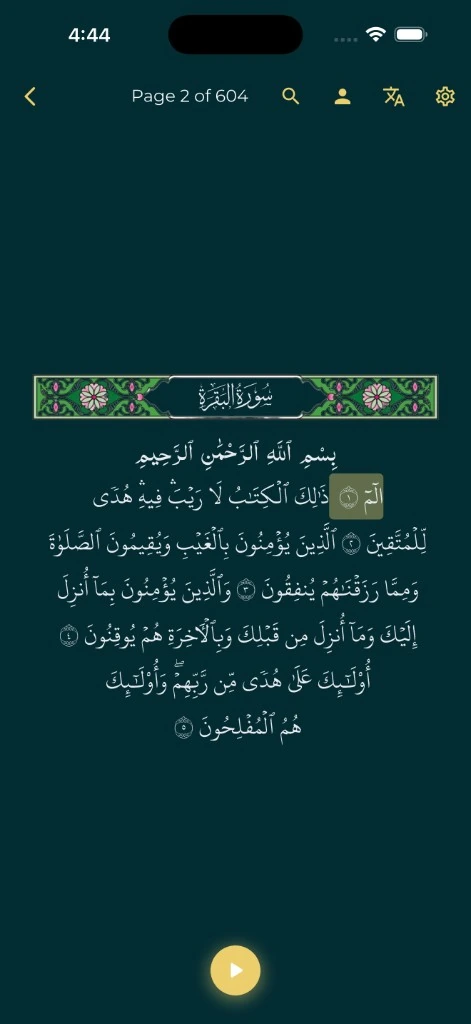
A Quran reader alongside your prayers
Browse the Quran, choose from the app's available translations and reciters, and adjust the reading experience to suit you. Use bookmarks and your reading position to make returning easier.
Having the Quran near your prayer times and tracker can help you attach a reading session to a moment already in your day. Choose a manageable routine rather than setting a target you cannot return to.
Listen now, or prepare audio for later
Stream recitation when connected or download the audio you want before going offline. Check that a download has completed before relying on it away from an internet connection.
Offline audio depends on the content actually saved on your device. Online services, downloads and optional shared or backup features still need connectivity. The app listing describes the available download and playback features; device behavior can vary.
Repeat and memorize
Use the memorization tools to choose surahs or ayahs and repeat recitation. Work with the repeat controls and progress features at a pace that suits your study.
An app can support practice, but listening and repetition are not a substitute for qualified teaching when you need help with recitation. Use the tools as part of the way you learn.
Make it your reading space
Everyday Muslim offers reading customization, translations and a variety of Quran resources. Choose the settings that help you focus, and use bookmarks to keep the passages you want to revisit close.
If you choose cloud backup or share Quran progress with Khair Partners, review those options and the privacy policy. Free and ad-free describes the experience; it does not mean every feature has identical data processing.
A simple place to start
Make it part of your day.
Choose how to read
Open the Quran and select the available translation and reading settings you need.
Listen with a reciter
Choose recitation and use the playback controls.
Prepare for offline listening
Download audio while connected and confirm it is complete.
Return to your place
Use bookmarks, reading position and memorization tools for your next session.
A few useful answers
Before you begin.
Is this a free Quran app with no ads?
Yes. Everyday Muslim is free and ad-free, with optional support purchases to help fund development.
Can I listen offline?
You can use downloaded Quran audio offline. Download the required content first and confirm completion; streaming and other online features need connectivity.
Are translations and bookmarks included?
The app includes Quran translations, recitation and bookmarks. Explore the available choices in the current app version.
Does the app include prayer times too?
Yes. Quran reading sits alongside prayer times, Qibla, prayer and fasting trackers, duas and other daily tools.
Made by Muslims. For Muslims.
Keep your essentials close.
Prayer times, Quran, Qibla and worship trackers. Free and ad-free.