
Everyday Muslim · 99 Names of Allah
Learn the 99 Names of Allah, one at a time.
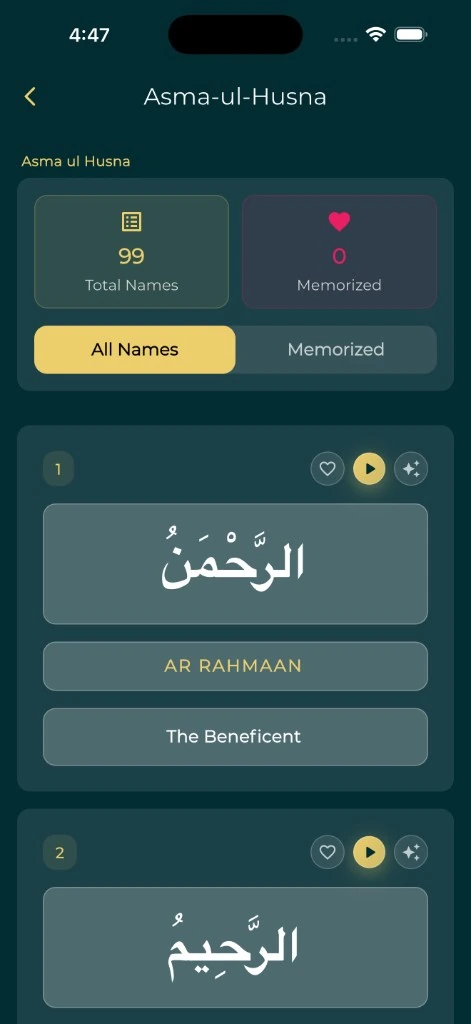
Keep Asma ul Husna close to your daily routine. Read the names and meanings, listen with the available audio controls, and mark the names you have memorized in Everyday Muslim.
- Names & meanings
- Audio controls
- Memorization progress
Give each name your attention
Open Asma ul Husna from the app’s tools and browse the names. Take time with the Arabic and the meaning rather than treating the collection as a list to finish in one sitting.
A short, repeatable practice is easy to return to: choose a name, read it carefully, and revisit it the next day. The app is a study aid; use trusted teaching when you want a fuller explanation of a name.
Keep track of what you have learned
Use the heart control to mark a name as memorized. The Memorized filter brings those names together, and the progress view shows how much of the collection you have marked.
You decide when a name is ready to mark. The app records your choice; it does not listen to or certify your pronunciation, understanding or recall. Review earlier names as you add new ones.
Return from your Home Screen
On supported devices, the 99 Names widget brings a name to your Home Screen. It is a simple way to remember to open the collection again without making your phone’s home page busier than you want.
Widget availability and layout depend on the device and app version. Use the widgets page for setup instructions, and check the widget picker on your own phone.
Set up Everyday Muslim widgetsKeep learning connected
Combine your study with a small Quran reading habit or a few saved duas. If you choose to use Khair Partners, review the sharing controls before making memorization progress visible to someone else.
Explore Quran memorizationA few useful answers
Before you begin.
Does the app track memorized names?
Yes. Mark names with the heart control and use the memorized filter and progress view to review them.
Does marking a name test my memorization?
No. It records your own assessment. There is no automated certification of pronunciation or recall.
Can I see a name on my Home Screen?
The app includes a 99 Names Home Screen widget on supported devices. Check your phone’s widget picker and installed version.
Is this a complete online list of the names?
This page explains the mobile app feature. Open Everyday Muslim for the full collection and its available reading and audio controls.
Made by Muslims. For Muslims.
Keep your essentials close.
Prayer times, Quran, Qibla and worship trackers. Free and ad-free.