
Everyday Muslim · Prayer StandBy mode
Make room for a calmer prayer display.
StandBy mode gives the clock, prayer time and countdown space to breathe. Choose a display style in Everyday Muslim when you want your prayer schedule visible at a glance.
- Full-screen prayer display
- Clock & countdown
- Choice of themes
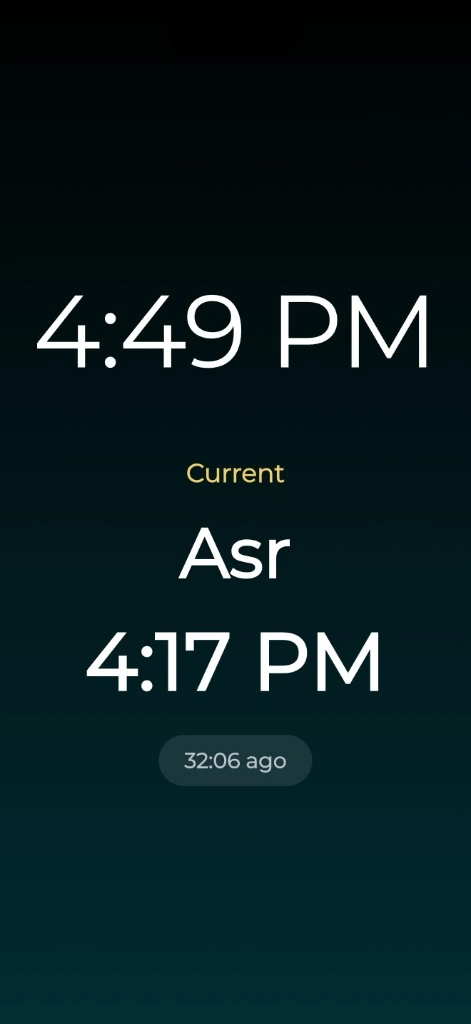
See the next prayer without a crowded screen
Open StandBy mode for a display designed around the time and prayer schedule. The available styles show a clock, the next or current prayer, its scheduled time and a countdown.
It is useful when you deliberately want to leave the prayer display open on a desk. It uses the app’s location and calculation settings, so confirm those before relying on what it shows.
Choose a style for the place you use it
Explore the StandBy themes and choose a layout you can read comfortably. The app includes styles such as analog and digital clocks, atmospheric backgrounds and an image-based display.
Readability matters more than finding the busiest design. Try the display at the distance you normally view the phone, and use the brightness and appearance settings that suit that space.
Use the Android lock-screen option deliberately
On supported Android devices, the Device Lock Screen option in StandBy settings can show the chosen display over the lock screen when the phone wakes. Follow the in-app permission instructions and test it on your device.
This Android option is separate from Apple’s system StandBy and from iPhone Lock Screen widgets. Device settings and operating-system restrictions affect availability and behavior.
Choose a widget when a smaller view is enough
If you want the next prayer visible while using the phone normally, a widget may be a better fit. StandBy is a full-screen display, while a widget sits among your other Home Screen information.
See prayer widget optionsA few useful answers
Before you begin.
Is this Apple’s built-in StandBy feature?
This page describes StandBy mode inside Everyday Muslim. It does not claim an integration with every Apple system StandBy surface.
Can it show a prayer countdown?
Yes. The app’s StandBy styles include the next or current prayer, its time and a live countdown.
Is the Android lock-screen display automatic?
Enable Device Lock Screen in the app and follow its permission instructions. Availability depends on your device and operating system.
Does StandBy replace adhan notifications?
No. It is a display mode. Configure and test notification settings separately if you need an audible reminder.
Made by Muslims. For Muslims.
Keep your essentials close.
Prayer times, Quran, Qibla and worship trackers. Free and ad-free.